Creating training courses can be exhausting. You’re juggling deadlines, trying to make your content engaging, and often doing it yourself. Sound familiar? If you’re feeling burned out, you’re not alone. But the good news is that the right tools can make your job easier and help you rediscover the joy of working. Adobe Captivate is one of them.
Why training creators feel burned out
Let’s be honest, creating training materials can feel overwhelming. You may be:
- Spend a lot of time building courses from scratch
- Fighting Complex Software
- Repeating the same tasks over and over again
- Working alone without much support
- Limited resources and tight deadlines
When work feels like an endless climb, burnout can creep in. You lose that spark of excitement you once had. But what if there was a way to work smarter instead of harder?
How Adobe Captivate makes life easier
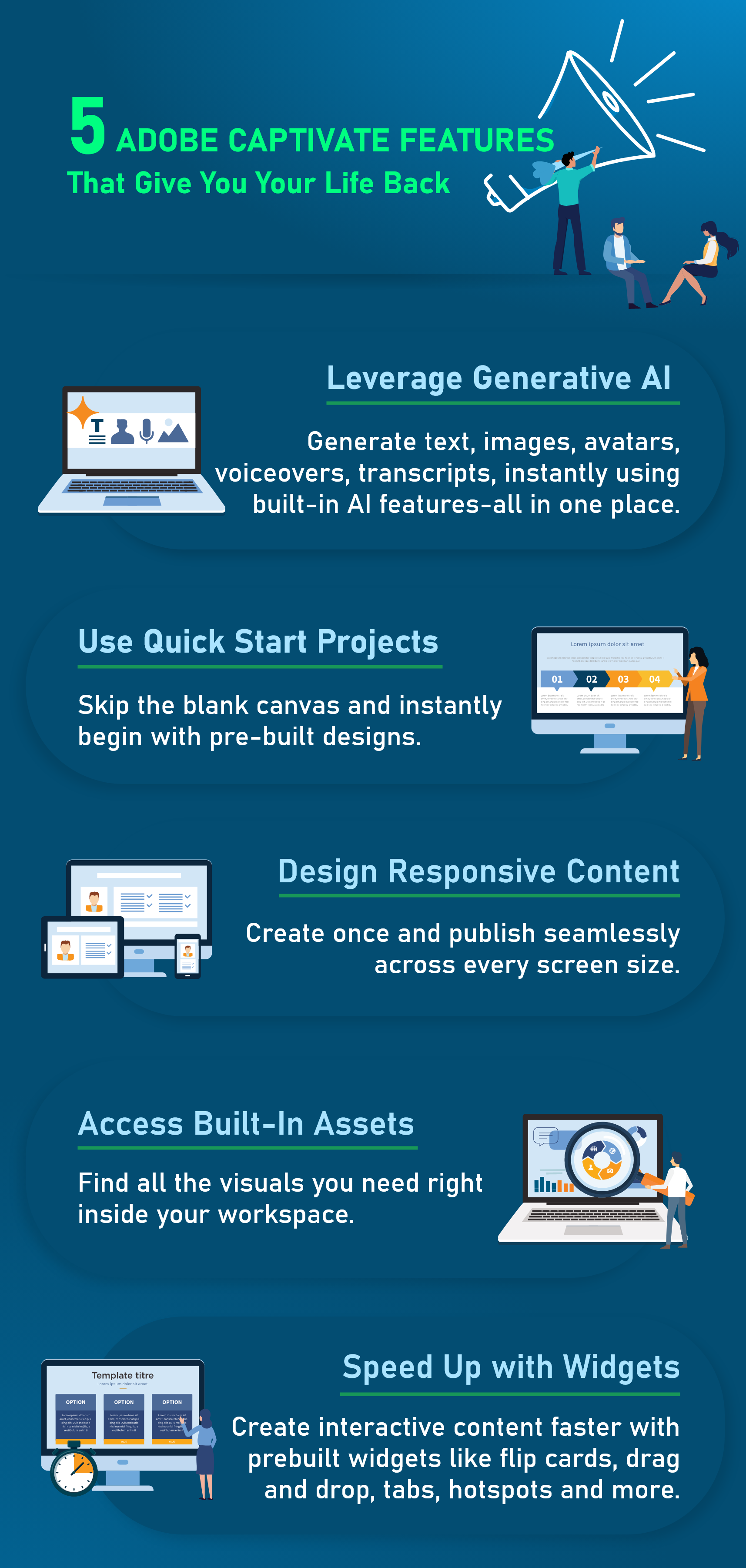
Adobe Captivate is designed to take the stress out of creating training courses. Think of it as your right-hand man, helping you take care of the tedious tasks so you can focus on being creative.
1. Quick Start Projects
Remember when you had to design everything from scratch? Those days are over. Captivate comes with ready-made templates that look professional right out of the box.
You don’t need to spend hours creating slide layouts, just choose a template that suits your needs. Want to create a quiz? There is a template. Need an interactive scene? There is also one. This means you can complete projects faster and still deliver high-quality work without stress.
2. Smart responsive design
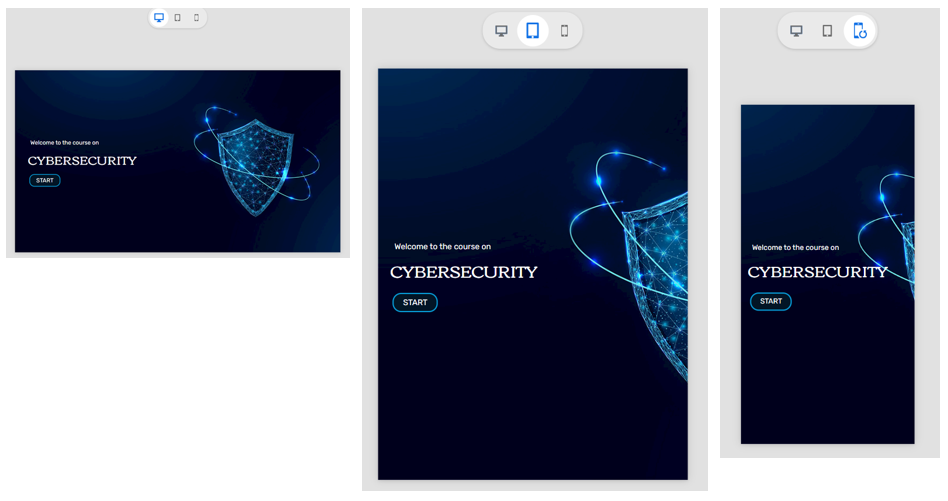
Creating courses that work on phones, tablets, and computers used to be a nightmare. You need to design a version and then spend hours adapting it to different screen sizes. no longer.
Captivate’s responsive design automatically adjusts your content to fit any device. You design once and use it anywhere. This reduces your workload and provides better training for your team. It’s like having a magic wand that gets the technical work done while you focus on the content.
3. Built-in resource library
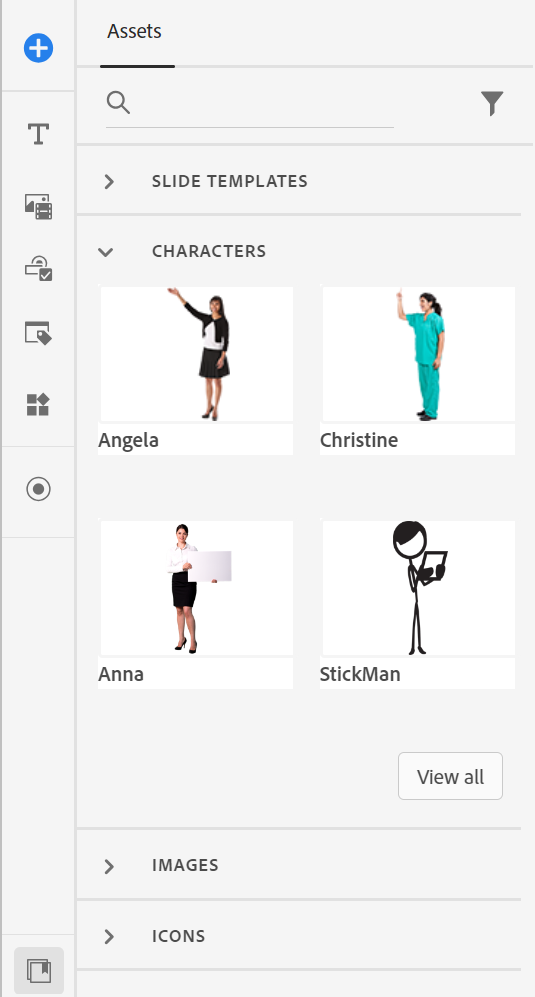
Ever wasted time searching for the perfect image or icon? Captivate includes thousands of ready-to-use images, characters, and icons inside the software.
Need a photo of someone at a business meeting? It’s there. Looking for icons to make your courses more intuitive? They are all included. No more searching through stock photo websites or worrying about licenses. Everything you need is at your fingertips.
Features that save you time
1. Intelligent interaction, no technical difficulties required
Creating interactive learning used to mean a lot of coding or complex tools. no longer.
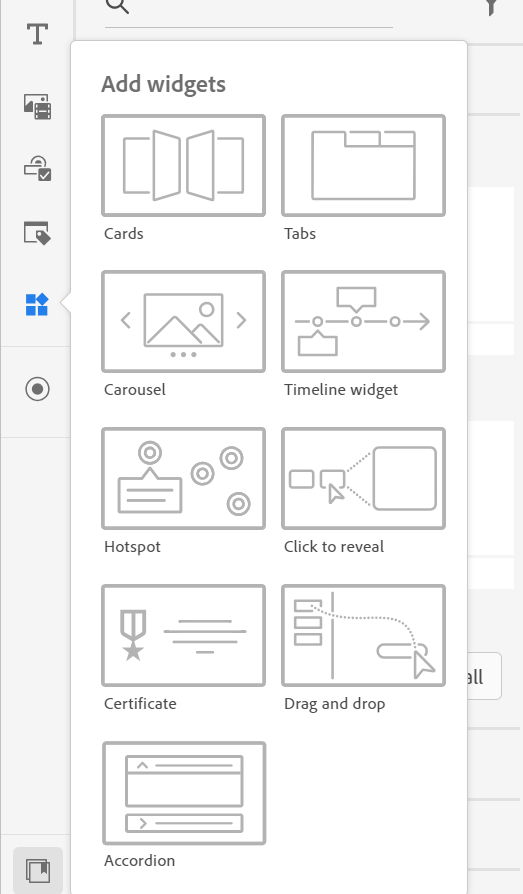
Captivate provides easy-to-use interactive components such as:
- Flip card for click to reveal activity
- Tabs for exploring sections without switching slides
- Drag and drop, hotspots, carousels, accordions and timelines to engage content
You can build these features using simple visual controls. No technical pressure. Clean, effective design keeps learners interested and you feel confident.
2. Automated quizzes
Creating quizzes used to take a long time. With Captivate, you can build professional quizzes in minutes. The software automatically tracks scores, provides feedback, and even creates certificates. You set it up once and it runs automatically.
3. Software simulation becomes easy
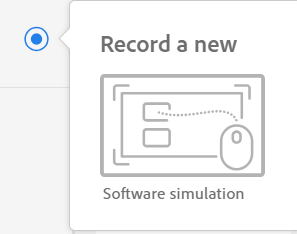
Need to show someone how to use a software program? Captivate can record your screen and automatically create interactive training. You only need to perform the task once and Captivate will turn it into a complete training module with click boxes and text titles. What used to take days now takes just hours.
4. Artificial intelligence assistance
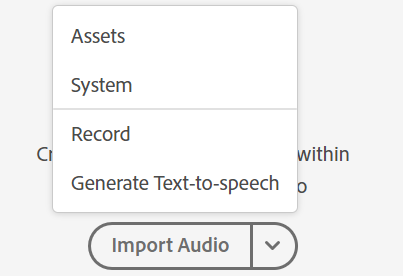
you can trust Artificial intelligence text-to-speech Produce natural-looking voiceovers without recording audio. This AI-powered voice studio brings your lessons to life by turning your scripts into engaging experiences, giving you a choice of multiple languages, accents, and intonations. This feature helps enhance accessibility compliance and saves time and cost in audio production. You can easily access the Generate Text to Speech option in the software.
These smart, automated features take care of repetitive tasks so you can focus on creativity, design, and storytelling, helping you work smarter and avoid burnout.
Restore energy
When you stop drowning in technical details and repetitive tasks, something amazing happens – you start enjoying your work again. You have time to:
- Think creatively about how to solve training challenges
- Try new methods and experiments
- Connect with colleagues and share ideas
- In fact, I got off work on time
Captivate doesn’t just help you be more productive; It helps you work better. When you produce quality work without stress, that feeling of burnout will start to disappear.
Start your burnout-free journey
You don’t need to master all of Captivate’s features overnight. Start small:
- Choose a project and use a template instead of building from scratch
- Try responsive design features in your next course
- Use the built-in resource library instead of searching online
Every small victory builds momentum. Before you know it, you’re training better in less time and with less stress.
Burnout occurs when work feels overwhelming and never-ending. The solution is not to work harder, but to work smarter. Adobe Captivate gives you the tools to create professional, engaging training that won’t burn you out.
Remember the reason you got into training creation in the first place was to help people learn and grow. With the right tool support, you can return to missions without sacrificing health. This is what working smarter is all about.