If you want to enter a Disney contest, you need to be ready when registration opens. The Disney Run is one of the most popular running events in the United States. Tickets for many games sell out within hours, with some distances selling out even faster. In this guide, you’ll learn exactly How to register for the Disney Run, when registration opens, and how to improve your chances of qualifying before the race sells out.
I have participated in several Disney running races, including the Dopey Challenge and the Dumbo Double Dare Challenge. The Disney Weekend Races are one of the most fun events you can participate in, but they require planning ahead. This step-by-step guide will help you understand the Disneyland registration process so you’re ready when registration day arrives.
runDisney usually opens registration months before each race weekend. Registration usually takes place in approx. 10 a.m. ET / 7 a.m. PT on the scheduled date.
You can view the full competition and registration schedule in this guide: running 2026/2027 Disney Contest Calendar and Registration Dates
Registration dates are announced in advance, so it’s important to mark them on your calendar.
The registration process is as follows.
Step 1: Create a runDisney account
Before registration begins, please create an account on the runDisney website. Having your account ready in advance can save valuable time during checkout. You can do this a few days before your registration day so you can log in when you need to.
Step 2: Log in before registration begins
Log in to your runDisney account At least 15 to 30 minutes before registration starts. Many runners will open the registration page in advance to be ready when the system goes online.
Step 3: Join the virtual queue
After registration opens, contestants will be placed in Virtual waiting room queue. This queue determines when you can access the registration page.
Important things to know:
- The queue opens automatically when registration begins
- Your queue position is random
- Refreshing the page won’t move you forward (don’t refresh the page – you’ll lose your spot in the queue)
Once you get to the front of the queue you can register.
Step 4: Choose your race
Choose your desired race distance. Decide on your “A” and “B” choices ahead of time in case your first choice sells out before it’s your turn to register.
Depending on the race weekend, options may include:
- 5K
- 10K
- half marathon
- marathon
- Challenges such as Dopey Challenge or Fairy Tale Challenge
Once selected, you will proceed to checkout.
Step 5: Complete registration quickly
Since game tickets sell out quickly, it’s important to complete checkout quickly. Have this information ready before it’s your turn to register.
You need to confirm:
- personal information
- Emergency contact information
- Estimated completion time (proof of time can be added later if needed)
After checkout, you will receive a confirmation email.

Disney running races usually sell out quickly.
A typical short sale schedule includes:
- Popular Disney marathon weekend race sells out in 2 hours
- Princess Half Marathon tickets sell out in hours
- Food and wine competitions often sell out within hours
- Popular challenges may sell out within an hour
Because of this requirement, it is best to be prepared to register The moment registration opens.
These tips can improve your chances of getting a race bib number.
Log in early
Log in to your runDisney account before registration begins. This can help you avoid delays once registration opens.
Know your backup game
Sometimes specific games sell out first. If your first choice is sold out, decide in advance whether you’d like to travel a little further.
Register one game at a time
If you would like to participate in multiple competitions, please register separately. Completing checkout quickly improves your chances of getting a seat.
Use multiple devices
I have successfully signed up for multiple Disney contests No need to use multiple devicesso I don’t think this trick is really necessary. But I also know that this is one of the most popular tips I hear when people talk about signing up to run Disney. You don’t need multiple devices, just log in and register on time, don’t refresh the page, and wait patiently. It’s your turn to sign up, it’s just a matter of which competitions are still open when the time comes. So this is not required, but many runners open the registration page with:
- a computer
- a phone
- Tablet
Each device is queued separately, increasing your chances of getting through faster.

Even though the game is sold out, there are still several ways to participate.
charity bib
Many nonprofits receive race bibs and provide them in exchange for a fundraising commitment.
travel packages
Some official Disney travel providers offer race packages that include race registration.
virtual competition
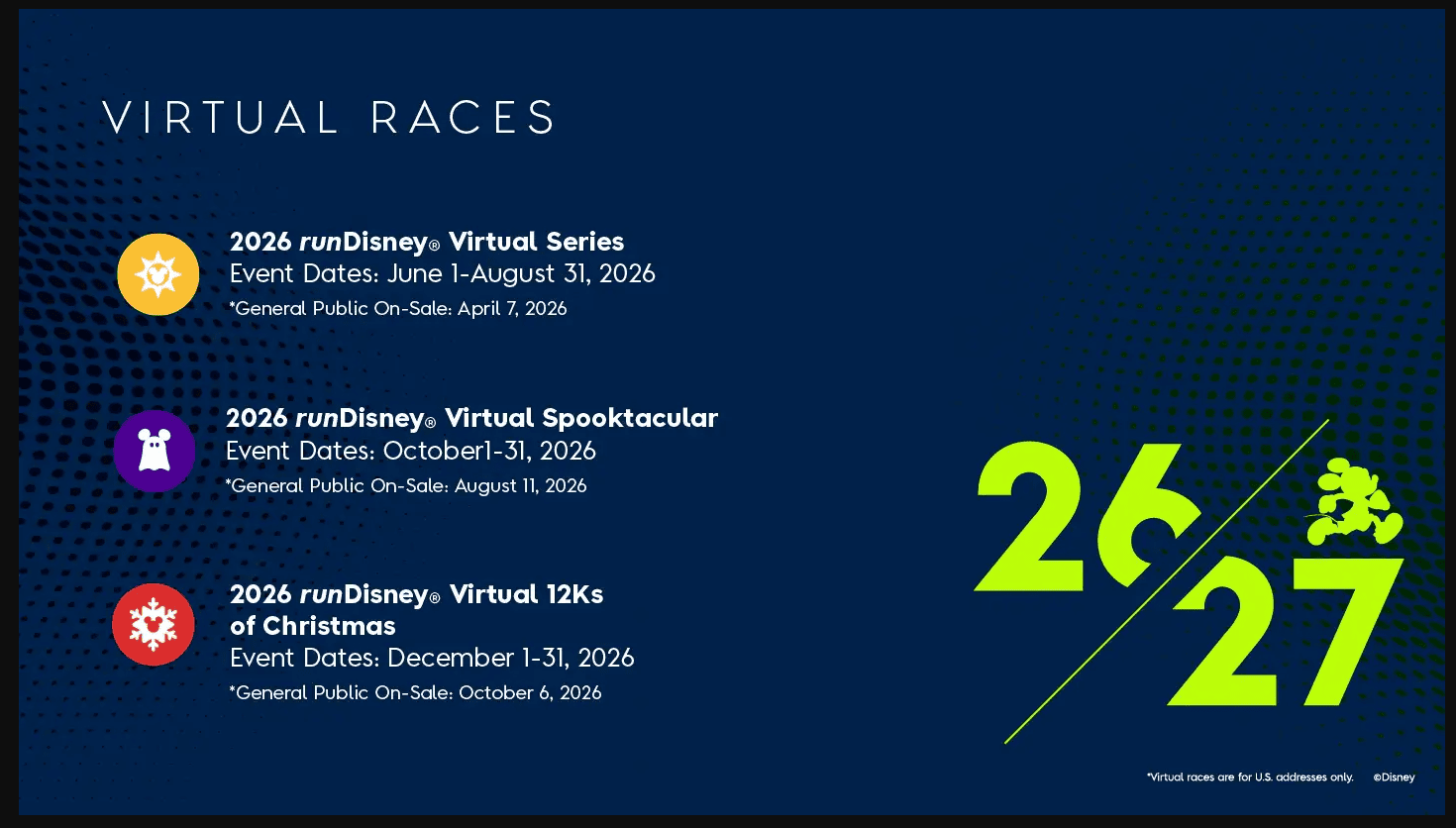
The runDisney virtual race allows you to complete the distance anywhere while still earning a Disney-themed medal.