

Whether you start with PowerPoint, scribble an idea on a napkin, or start with a blank screen, Adobe Captivate is ready to fulfill your creative desires. With smarter artificial intelligence, faster workflows, and more intuitive design tools, turning your training ideas into engaging and interactive learning experiences has never been easier. Just think about it and Adobe Captivate makes it happen!
Let’s take a look at what’s new in Adobe Captivate 13.0 and why this release may change the way you build learning experiences.
AI-driven creativity
Adobe Captivate’s new AI capabilities are like having a co-designer who never sleeps. Here’s what’s new in your creative toolbox:
Generate text:
Need a quick course title or slide content? Enter a short prompt and let the AI write for you.
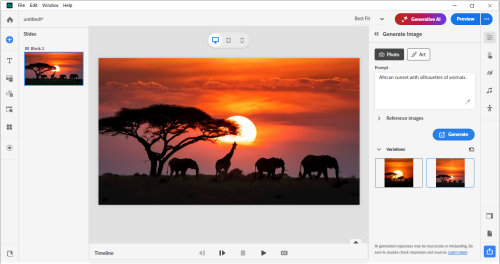
Generate image:
Bring your ideas to life with AI-generated visuals. Whether it’s backgrounds, characters or concept art – Adobe Captivate has you covered.
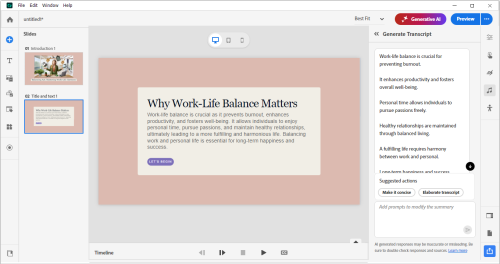
Generate transcript:
Generate ready-to-use text records in seconds. Great for accessibility and ease of learning.
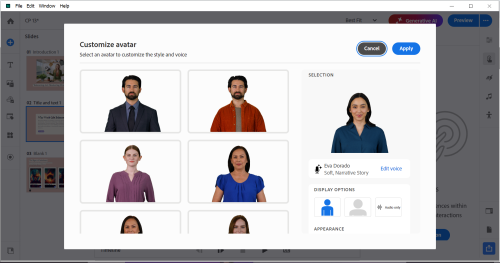
Generate AI avatar:
Not ready to host yet? Let artificial intelligence step in. Create lifelike avatars that can deliver lessons, narrate scenarios, or guide learners through content, adding a personal, human touch to your eLearning experience.
Input PowerPoint, output e-learning
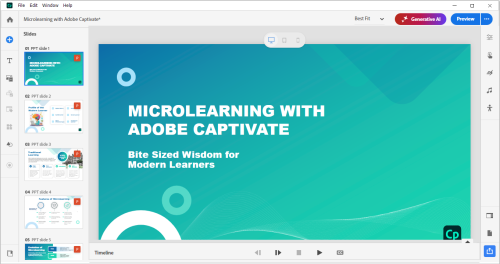
Have you ever wished you could import PowerPoint slides directly into Captivate and make them fully editable? Now you can!
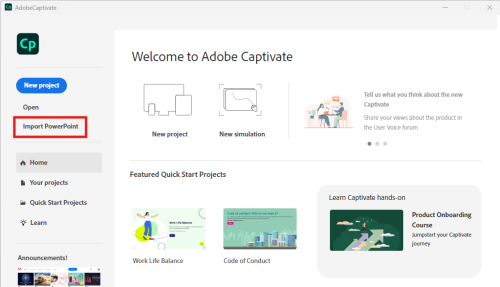
With just a few clicks, you can import PowerPoint slides into Captivate 13.0 and transform those static slides into a dynamic online learning experience. You can edit every bit of text, image, or shape directly in Captivate – no need to switch back and forth between tools. This means less time adjusting and more time creating engaging learning journeys.
Audio support for widgets
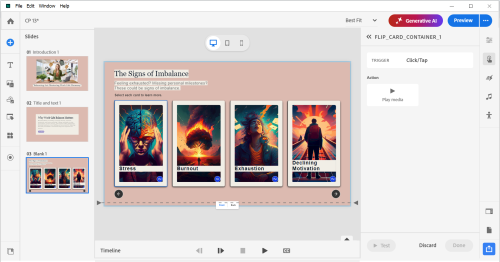
Adobe Captivate 13.0 takes interactivity to the next level by allowing you to add audio cues to widgets such as tabs, timelines, hotspots, and drag-and-drop elements.
Now, when learners interact with the widget, you can provide instant audio feedback, click sounds, beeps, and even brief narration. Not only does this increase engagement, it also makes your content more accessible and immersive for all learners.
Simulate the enhancement of shapes in slides
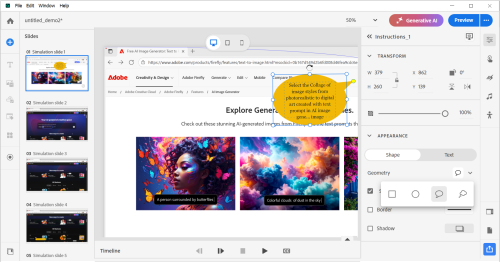
The simulation just got a new look! You can now edit shapes in simulation slides to highlight actions, provide feedback, or visually guide learners.
Want to draw attention to a button or provide step-by-step tips? Add highlights, descriptions, click areas or feedback status shapes – and customize them the way you want.
It’s a small change, but one that makes a big difference to clarity, accessibility, and learner experience.
Why this version is important
Adobe Captivate 13.0 is more than just an update, it’s a leap toward smarter, more inclusive eLearning design. By combining AI innovation, creative flexibility, and accessibility-first design, it helps every course creator—from beginners to pros—easily bring their vision to life.
So whether you’re turning a PowerPoint presentation into an interactive course, building it from the ground up with the help of AI, or enhancing a simulation with sound and visual effects, Adobe Captivate 13.0 makes it easy for you to do it all – flawlessly.
Ready to give it a try?
Click here to dive into the latest releases (Windows and macOS) and experience the magic of Adobe Captivate 13.0 for yourself. Your next great learning experience is just a few clicks away!
New to Captivate, try a 30-day free trial:
You can also download a free 30-day trial of this update. The credit card information is no Required.
We value your feedback!
If you encounter any issues or have suggestions for future improvements, please feel free to contact support at tcssup@adobe.com or submit an enhancement request on the Adobe Captivate UserVoice page.
If you’d like to see Captivate 13 in action, join us for our upcoming webinars on November 4th and November 12th.
We’re excited for you to explore the new features and enhancements in Adobe Captivate 13.0 and look forward to hearing about your experience. Stay tuned for more updates and thank you for choosing Adobe Captivate.
cheers!
Sarath Ramaswamy
Adobe Captivate Chief Evangelist
The post Meet Adobe Captivate 13.0: Your Creative Elf for eLearning Design appeared first on eLearning.


